
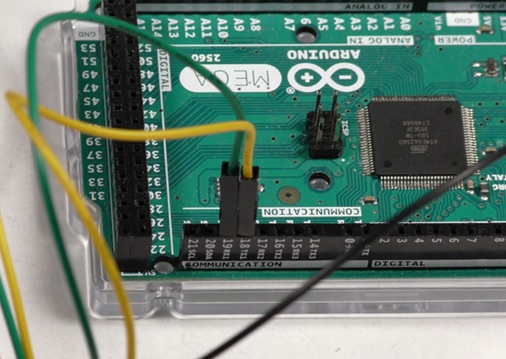
When using serial communication with an Arduino there are two implementations available. This application note covers using hardware serial with the Basicmicro Arduino library to communicate with a RoboClaw, and why it is usually the better choice.
Using Encoders with the Arduino Library
This application note covers using the Basicmicro Arduino library to read, set, and reset the encoders attached to a RoboClaw motor controller, with a complete example sketch demonstrating every encoder function.
Using the RoboClaw Arduino Library
The RoboClaw Arduino library is now the Basicmicro Arduino library, available in the Arduino Library Manager. This article covers installing the library, the pattern every sketch follows, and the most commonly used functions for controlling RoboClaw and MCP motor controllers.

Standard Serial Mode with Arduino
Control a RoboClaw motor controller from an Arduino using standard serial (Simple Serial) mode: wiring, Motion Studio configuration, and a complete example sketch that drives both motor channels with single-byte commands.

Standard Serial Bus Operation with Arduino
Some robotics projects will require the use of more than one motor controller at a time. RoboClaw supports this type of operation and it’s straightforward to configure and wire.

Using Multiple RoboClaws with Arduino
Some robotic projects make use of more than one motor controller. The RoboClaw is engineered to be used in this fashion with the use of a microcontroller like an Arduino.

Simple Arduino Control of the RoboClaw
How to control a RoboClaw motor controller from an Arduino over packet serial: wiring, Motion Studio configuration, and an example sketch using the Basicmicro Arduino library.